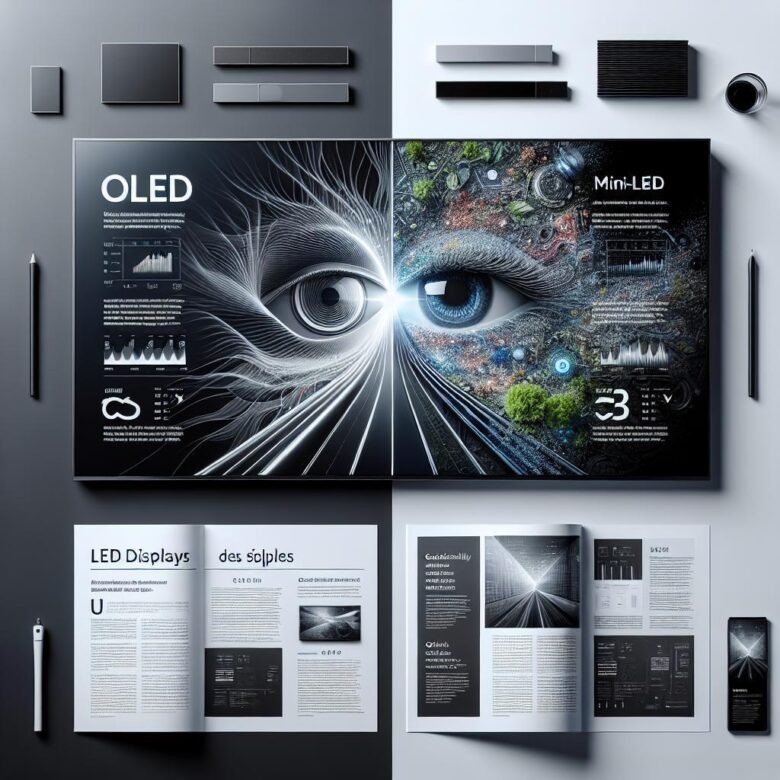
Could your screen be making your eyes tired long before the workday ends? When comparing OLED vs. Mini-LED, the real question is not just which looks better-it’s which technology is less likely to trigger eye strain during hours of reading, scrolling, and late-night use.
Both display types promise premium image quality, but they affect visual comfort in very different ways. Brightness spikes, contrast behavior, flicker control, and blue light output can all change how your eyes respond over time.
OLED is often praised for perfect blacks and rich contrast, while Mini-LED is known for higher full-screen brightness and strong HDR performance. Those strengths matter, but they do not automatically translate into better eye comfort for work, gaming, or watching in dark rooms.
This guide breaks down the key differences that actually influence eye strain, from PWM dimming to screen brightness consistency. By the end, you’ll know which display is more comfortable for your specific habits-not just which one wins on spec sheets.
OLED vs. Mini-LED for Eye Strain: Key Differences in Flicker, Brightness, and Blue Light
Which one usually feels easier on the eyes after three straight hours: OLED or Mini-LED? In practice, the answer often comes down less to panel “quality” and more to three stress points-PWM flicker behavior, usable brightness at night, and how aggressively the display pushes short-wavelength light.
| Factor | OLED | Mini-LED |
|---|---|---|
| Flicker risk | Often higher at low brightness if PWM is used heavily | Varies by backlight design; some use gentler dimming, others still rely on PWM |
| Peak brightness | Usually excellent contrast, but sustained full-screen brightness can be lower | Typically stronger full-screen brightness, useful in bright rooms |
| Blue light profile | Not automatically “low blue”; depends on panel tuning and color mode | Can be harder on sensitive users at high brightness, especially in vivid modes |
Flicker is where many sensitive users notice the split. Some OLED phones and laptops dim by rapidly pulsing pixels at lower brightness, and that can trigger fatigue or headaches even when the screen looks stable. I’ve seen this with users editing documents late at night: 20% brightness on OLED feels worse than 60% with a warm filter enabled.
Small but important. Mini-LED often wins in sunlit offices because you do not need to strain against reflections, yet that same strength can become a problem in a dark room if the display is left in a vivid preset. Check the display mode in Windows Settings or macOS Displays; switching from Vivid to sRGB or a warmer profile often reduces that “glare fatigue” people blame on the panel itself.
- If you are flicker-sensitive, test OLED at low brightness specifically-not just at 100% in a store.
- If you work beside windows, Mini-LED’s higher sustained brightness can reduce squinting and forward head posture.
- For both types, blue light load is heavily affected by color temperature, not marketing labels alone.
One quick real-life observation: people often return the “wrong” display when the actual issue was auto-brightness overshooting all day. That is worth checking first.
How to Choose Between OLED and Mini-LED Based on Your Viewing Habits, Room Lighting, and Screen Time
Start with the room, not the spec sheet. If you work near a window, under ceiling spots, or in an office that stays bright most of the day, Mini-LED is usually the easier screen on your eyes because it can stay comfortably visible without pushing contrast tricks or forcing you to lean in. In a dim bedroom, late-night study setup, or editing corner with controlled lighting, OLED often feels calmer because black areas stay truly dark instead of glowing gray.
Now screen time. For short bursts-checking email, watching a show, casual browsing-either can work well if brightness is set properly. But for six to ten hours of spreadsheets, documents, coding, or browser tabs with white backgrounds, I usually tell people to test how they react to sustained brightness and local-dimming behavior; some users find Mini-LED easier in daylight, while others notice blooming around subtitles or white text on dark apps and prefer OLED’s cleaner pixel-level control. It depends.
I’ve seen this play out with hybrid workers using f.lux, Night Shift, and dark mode all day, then wondering why their eyes still feel tired. Often the issue is mismatch: an OLED laptop in a sunlit kitchen gets run too bright, or a Mini-LED monitor in a dark room looks harsher than it needs to. A real example: a video editor may love OLED for evening timeline work, but an accountant facing a bright office window may be better off with Mini-LED and a matte screen finish.
- Choose OLED if you mostly watch, create, or read in controlled lighting and care about dark-scene comfort.
- Choose Mini-LED if your room is bright, your sessions are long, and visibility matters more than perfect blacks.
- If possible, check both with your actual workflow-white documents, subtitles, dashboards-not demo footage.
One quick observation: store demos mislead people all the time. A display that looks stunning under retail lighting can become fatiguing at home if your habits are the opposite, so buy for your room and routine, not the showroom.
Common Display Settings Mistakes That Make OLED or Mini-LED Harder on Your Eyes
Sometimes the display technology is not the problem at all. It is the setup.
A common mistake is leaving adaptive brightness, dynamic contrast, or “vivid” picture modes enabled. On both OLED and mini-LED panels, those modes keep changing luminance scene by scene, so your eyes never settle; I see this a lot on laptops in mixed office lighting, where a white spreadsheet suddenly looks harsher after switching from a dark app. Check the display OSD or system panel in Windows Settings or macOS Display Settings and lock the screen to a stable mode first.
Another one: using high brightness in a dim room because the image “looks clearer.” It usually feels fine for ten minutes, then the discomfort starts. With OLED, deep blacks can make bright UI elements feel more intense than the brightness slider suggests; with mini-LED, aggressive local dimming can make subtitles, cursors, and white text pop too hard against dark backgrounds.
- Running at maximum sharpness or edge enhancement, which adds halos around text and increases visual fatigue during long reading sessions.
- Using the coldest color temperature all day; cooler white points can feel crisp, but they often become tiring in evening use.
- Ignoring refresh and motion settings, especially when variable refresh is misbehaving in browsers, remote desktops, or scrolling-heavy work.
Quick observation from real desk setups: people often blame PWM, bloom, or black crush before checking app-level scaling. If text scaling is too small, users lean in, blink less, and stare harder, which gets misread as “this panel hurts my eyes.”
One practical fix is to calibrate for task, not for showroom impact. A coding monitor, a movie TV, and a gaming laptop should not share the same brightness, contrast, and local dimming profile; if the settings are wrong, either technology can become the tiring one.
Expert Verdict on OLED vs. Mini-LED: Which Display Technology Is Best for Eye Strain?
Conclusion: Neither OLED nor Mini-LED is universally “better” for eye strain-the better choice depends on how you use the screen and how sensitive you are to brightness fluctuation, contrast, and long viewing sessions. If you prioritize deep blacks, lower overall brightness in dark rooms, and premium picture quality, OLED can be the more comfortable option. If you need higher full-screen brightness, less risk of image retention, and a strong all-purpose display for mixed lighting, Mini-LED is often the safer pick. The smartest decision is to choose the panel that matches your environment, viewing habits, and personal comfort rather than specs alone.

Dr. Silas Olive is a leading researcher in display technology and visual ergonomics. With a Ph.D. in Applied Physics, he founded OliveHD to bridge the gap between complex engineering and the everyday user experience. His expertise lies in analyzing panel performance and HDR standards, ensuring that every pixel on your screen meets the highest definition of excellence.