Can a projector actually keep up with your reflexes-or will input lag ruin the win before the boss fight even starts? In a home cinema setup, stunning image quality means very little if every button press feels a split-second late.
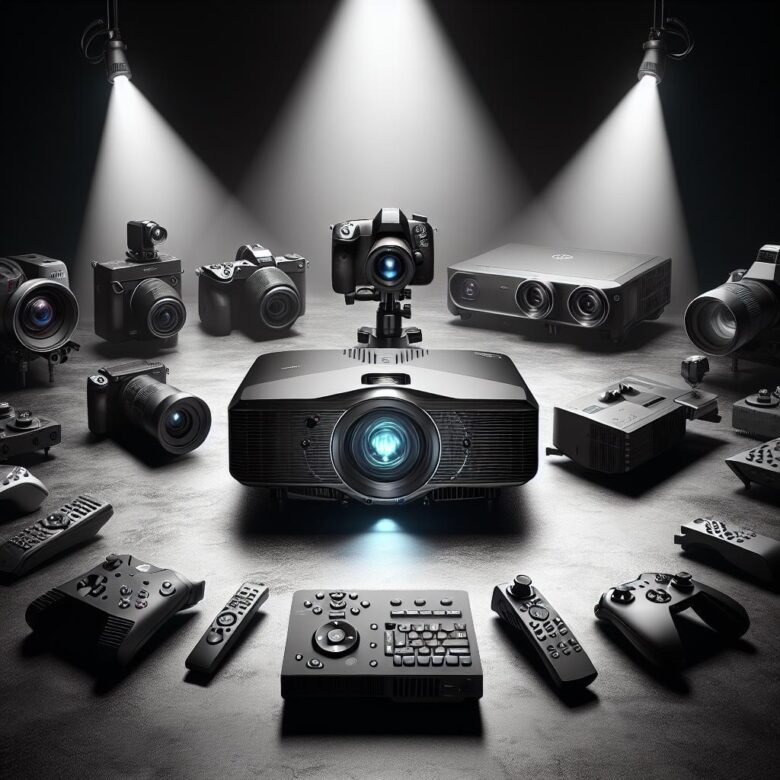
The best gaming projectors now do more than throw a massive image on the wall. They combine low input lag, fast response times, high refresh support, and cinematic brightness to deliver gameplay that feels sharp, immediate, and immersive.
That is exactly where this guide matters. We have narrowed the field to five standout gaming projectors that balance competitive performance with big-screen movie-night appeal, so you do not have to choose between speed and spectacle.
Whether you play on console, PC, or next-gen platforms, the right projector can transform your room into a true entertainment arena. These are the top picks worth your attention if smooth gameplay and home cinema quality both matter.
What Low Input Lag Means in Gaming Projectors for Home Cinema
What does “low input lag” actually mean on a gaming projector? It is the delay between your console or PC sending a command and that action appearing on the screen. In home cinema use, that delay matters more than many buyers expect, because a projector can look cinematic yet still feel sluggish the moment you pick up a controller.
Simple version: lower numbers feel more immediate. Around 16ms is close to a 60Hz display frame, 30ms is still workable for many single-player games, and once you climb higher, timing-based play starts to feel soft around the edges. You notice it most in aiming corrections, parries, rhythm inputs, and camera control rather than in static scenes.
I see this often in mixed-use rooms. Someone installs a projector for movies, switches to a PS5 at night, then wonders why Rocket League feels oddly heavy even though the image looks sharp. In that case, the culprit is usually processing overhead-keystone correction, frame interpolation, or aggressive image enhancement-not brightness or resolution.
- Input lag: signal delay from source to screen
- Response time: how fast pixels change state; different issue
- Game mode: bypasses extra video processing to cut delay
One quick observation: projector menus rarely tell the whole story. I’ve had units measure differently depending on whether HDR was enabled or whether the source ran through an AVR first. If you want a real check, tools like the Leo Bodnar Input Lag Tester or signal-path verification in an AVR setup help expose where delay is being added.
So yes, picture quality matters-but for gaming projectors in a home cinema, low input lag is what makes the setup feel connected instead of merely big.
How to Compare the Top Gaming Projectors by Refresh Rate, Response Time, and Console Compatibility
Start with the signal chain, not the spec sheet. A projector that accepts 1080p at 120Hz but forces your console through chroma compression, HDR quirks, or an AVR bottleneck can behave very differently from what the box suggests.
Compare the five models in the same test conditions: same HDMI cable, same console, same picture mode, same game preset. Use RTINGS, the manufacturer’s HDMI bandwidth notes, and if possible your own console video menu to verify whether 4K/60, 1080p/120, VRR, and HDR can run together or only in certain combinations.
- Refresh rate: Separate native input support from internal processing. Some projectors accept 120Hz but add frame interpolation unless you disable motion settings manually.
- Response time: Don’t confuse it with input lag. Slow pixel transitions show up as smearing in dark scenes, which matters more in racing games and fast camera pans than in turn-based titles.
- Console compatibility: Check for PS5-friendly 4K/60 HDR stability and Xbox Series X features such as 1440p/120 or VRR. Those details decide real usability.
One quick observation from setup work: older AV receivers are often the hidden problem. I’ve seen a projector blamed for “no 120Hz support” when the receiver in between was capped at HDMI 2.0.
Say you play Call of Duty on Xbox and Spider-Man 2 on PS5. In that case, prioritize a projector that handles 1080p/120 cleanly for the Xbox but doesn’t introduce handshake issues when the PS5 switches between SDR menus and HDR gameplay. Sounds minor, but it becomes annoying fast.
If two models look close, choose the one with fewer compatibility caveats rather than the one with the flashier refresh-rate claim.
Common Setup Mistakes That Increase Input Lag and Hurt Home Theater Gaming Performance
Think your projector is slow? Often the projector is fine; the signal chain is the problem. The biggest offender is sending everything through an AVR or HDMI switch that adds video processing, especially when scaling 1080p consoles to 4K before the projector even sees the image.
Keep it simple.
- Disable motion smoothing, noise reduction, dynamic contrast, keystone correction, and frame interpolation. On many projectors, keystone alone adds enough processing to make aiming feel soft and late in shooters.
- Use the projector’s dedicated Game or Fast mode, then confirm your console is outputting the panel’s native or preferred gaming resolution. A mismatched output forces extra scaling somewhere in the chain.
- Test your path directly from console to projector before blaming the display. I’ve seen a perfectly good setup ruined by a budget HDMI extractor and a “smart” soundbar pass-through.
A real-world case: a PS5 connected through a midrange receiver felt sluggish in Call of Duty, but direct connection to the projector immediately improved aim timing. The receiver was overlaying menus and handling image conversion, which is easy to miss because movies still looked fine.
One thing people ignore: geometry setup. If the projector is badly placed and you rely on digital corner correction, input lag usually rises and image sharpness drops at the same time. Proper mounting matters more than buyers expect, and tools like HD Fury Vertex2 or even the console’s own video info screen can help verify what signal is actually reaching the projector.
And yes, cheap long HDMI runs can create handshake issues that trigger odd refresh-rate fallbacks. If 120Hz keeps disappearing, don’t assume the projector is at fault.
Summary of Recommendations
Choosing the right gaming projector comes down to how you balance speed, image quality, and room setup. If competitive play is your priority, low input lag should lead your decision; if you want a more cinematic feel, contrast, brightness, and screen size matter just as much. The best option is the one that fits how you actually play and watch.
- For fast-paced gaming: prioritize the lowest lag available.
- For mixed gaming and movies: look for strong color, contrast, and low-latency modes.
- For flexible home setups: check throw distance, brightness, and connectivity before buying.
In the end, a well-chosen projector can deliver both responsive gameplay and a true big-screen home cinema experience.

Dr. Silas Olive is a leading researcher in display technology and visual ergonomics. With a Ph.D. in Applied Physics, he founded OliveHD to bridge the gap between complex engineering and the everyday user experience. His expertise lies in analyzing panel performance and HDR standards, ensuring that every pixel on your screen meets the highest definition of excellence.